
P-RFO (Partitioned Rational Function Optimization)
Overview
P-RFO is a second-order saddle point optimizer based on the Partitioned Rational Function Optimization algorithm. It works by partitioning the Hessian eigenspace into one mode to maximize along (the reaction coordinate) and all remaining modes to minimize along. This dual-shift approach, combined with a trust-region framework and mode-following in mass-weighted coordinates, efficiently converges to the nearest first-order saddle point from an initial guess geometry.
By default, MAPLE recalculates the exact Hessian at every P-RFO iteration. For larger systems, recalc can be used to recompute the Hessian periodically while updating the working Hessian between recalculations with either the Bofill or BFGS update formula. The default update method is bofill.
P-RFO is the local TS optimizer used directly with #ts(method=prfo) and as the final optimization step for NEB-TS/String-TS refinement workflows. It requires a good starting geometry that is already close to the true TS.
Parameters
| Parameter | Type | Default | Description |
|---|---|---|---|
max_iter |
int | 256 | Maximum number of optimization cycles. |
trust_radius |
float | 0.2 | Initial trust radius in Angstrom. |
trust_min |
float | 1e-3 | Minimum trust radius. |
trust_max |
float | 1.0 | Maximum trust radius. |
eta_shrink |
float | 0.75 | Trust radius shrink factor when step is poor. |
eta_expand |
float | 1.75 | Trust radius expansion factor when step is good. |
evals_eps |
float | 1e-10 | Eigenvalue epsilon for numerical stability. |
mu_margin |
float | 1e-8 | Margin for the level-shift parameter. |
max_bisect_it |
int | 60 | Maximum bisection iterations for level-shift. |
recalc |
int | 1 | Exact Hessian recalculation interval. 1 recalculates the Hessian every iteration. |
hessian_update |
string | bofill | Approximate Hessian update used between recalculations. Available options are bofill and bfgs. |
f_max_th |
float | 9.5e-3 | Max force convergence threshold (Hartree/Angstrom). |
f_rms_th |
float | 5e-3 | RMS force convergence threshold. |
dp_max_th |
float | 1.8e-3 | Max displacement convergence threshold (Angstrom). |
dp_rms_th |
float | 1.2e-3 | RMS displacement convergence threshold. |
Input Example
Checked-in MAPLE example: examples/ts/prfo/inp1.inp. It uses an inline TS guess geometry and writes inp1_prfo_ts.xyz plus inp1_prfo_traj.xyz.
#model=ANI-1xnr
#ts(method=prfo)
#device=gpu0

C    -0.8675   -1.1212    0.1451
C     1.2063    0.0888    0.0375
C    -0.8012    1.8039    0.7777
C     1.9270   -0.5238    1.2299
C     2.1735    0.5194   -1.0520
N     0.2436   -0.9006   -0.5570
N    -2.0080   -1.5937   -0.4191
O    -1.6073    1.4743   -0.2757
H    -1.9698    0.5875   -0.1411
H     0.0290   -0.6370   -1.5287
H    -0.8978   -0.8021    1.1842
H     0.5985    0.9809    0.3930
H    -2.6675   -1.9721    0.2647
H    -1.8829   -2.2545   -1.1927
H    -0.4288    2.8210    0.7145
H    -1.0181    1.4392    1.7832
H     2.6046    0.2089    1.6809
H     1.6503    1.0084   -1.8818
H     2.5096   -1.3982    0.9217
H     1.2101   -0.8363    1.9937
H     2.9111    1.2261   -0.6587
H     2.7050   -0.3554   -1.4408
Output Files
*_prfo_ts.xyz— Final optimized TS geometry.*_prfo_traj.xyz— Multi-frame trajectory of the local saddle-point search.
Visualization
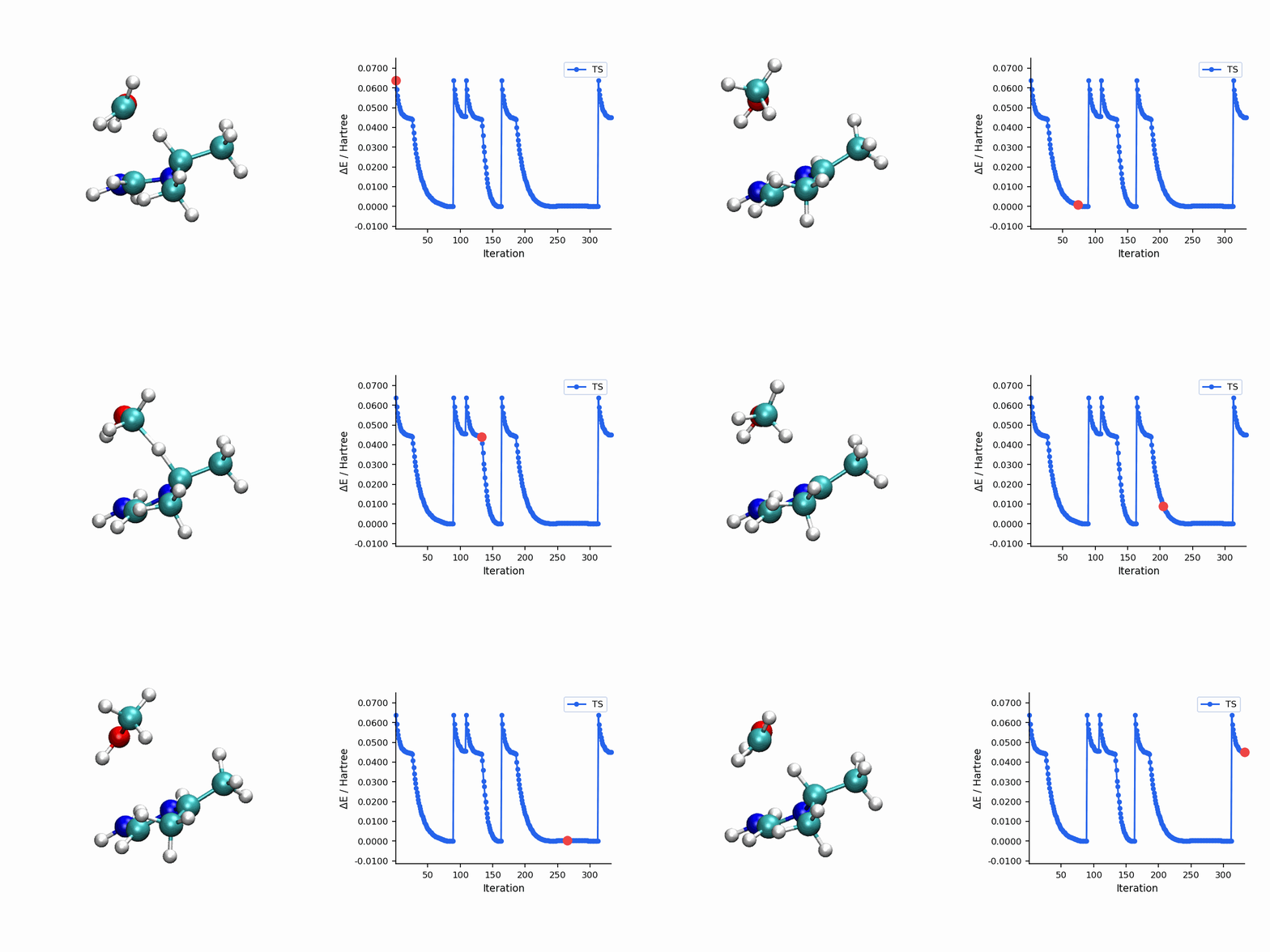
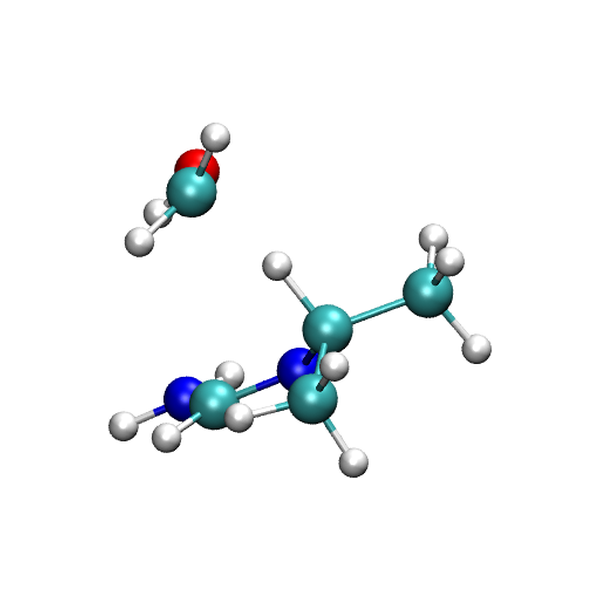
The P-RFO trajectory visualization uses *_prfo_traj.xyz, while the final TS panel uses *_prfo_ts.xyz. The trajectory is the local saddle-point search history, not a full reaction path.
Tips
- Start from a good guess. The best starting geometry is typically the highest-energy image (HEI) from a converged NEB or String calculation. You can extract this from the
*_hei.xyzoutput file. - Verify with a frequency calculation. After P-RFO converges, always run a frequency calculation to confirm exactly one imaginary frequency. If there are multiple imaginary frequencies, the converged structure may be a higher-order saddle point.
- Use method-specific refinement keywords for automation. Set
refine=nebtsfor NEB workflows,refine=stringtsfor String/GSM workflows, orrefine=prfofor DMF workflows when you want the path calculation to hand its saddle-point guess to the local TS refinement stage. - Trust radius adjustment. If P-RFO oscillates or fails to converge, consider providing a geometry closer to the true TS. The trust-region mechanism will automatically adapt the step size, but a poor initial guess can cause the search to wander.