
Nudged Elastic Band (NEB)
Overview
The Nudged Elastic Band (NEB) method is a chain-of-states approach for finding the minimum energy path (MEP) between a known reactant and product. A series of intermediate images are connected by spring forces and optimized simultaneously. The "nudging" procedure projects out the perpendicular component of the spring force and the parallel component of the true force, ensuring that the images converge to the MEP rather than sliding down to the endpoints.
MAPLE's NEB implementation uses Image Dependent Pair Potential (IDPP) interpolation to generate a physically reasonable initial path, dynamic spring constants to improve image distribution near the transition state, and an L-BFGS optimizer for efficient band relaxation.
Parameters
| Parameter | Type | Default | Description |
|---|---|---|---|
n_images |
int | 10 | Number of internal images along the path (excluding fixed endpoints). |
k_min |
float | 0.03 | Minimum spring constant (Eh/Ang²). |
k_max |
float | 0.3 | Maximum spring constant (Eh/Ang²). |
use_dynamic_k |
bool | True | Enable energy-weighted dynamic spring constants. |
k_decay |
float | 0.5 | Decay factor for dynamic spring constant weighting. |
max_iter |
int | 500 | Maximum L-BFGS optimization iterations for the NEB band. |
lbfgs_m |
int | 20 | L-BFGS memory for the NEB optimizer. |
step0 |
float | 2e-2 | Initial step length for the L-BFGS optimizer. |
ifidpp |
int | 1 | IDPP interpolation flag (1=IDPP, 0=linear). |
neb_f_max_th |
float | 9.5e-3 | Max force convergence threshold for NEB. |
neb_f_rms_th |
float | 5e-3 | RMS force convergence threshold for NEB. |
initial_opt |
bool | False | Optimize endpoints before building the NEB path. |
refine |
str | None | Post-NEB refinement: None, "cineb", or "nebts". |
cineb_f_max_th |
float | 1e-2 | Max force threshold for CI-NEB refinement. |
cineb_f_rms_th |
float | 1e-2 | RMS force threshold for CI-NEB refinement. |
cistep0 |
float | 5e-3 | Initial step for CI-NEB optimizer. |
Refinement Options
CI-NEB (Climbing Image NEB)
When refine=cineb is set, the highest-energy image (HEI) is freed from spring forces and instead climbs along the band tangent toward the true saddle point. The remaining images continue to be optimized with springs. This gives a more accurate TS estimate without requiring a separate local TS optimizer.
NEBTS (NEB + TS Refinement)
When refine=nebts is set, MAPLE first performs CI-NEB to refine the HEI, then applies a P-RFO local TS optimizer starting from the climbing image. NEB only accepts refine=cineb and refine=nebts; other refine values fail during input parsing.
Input Example
Checked-in MAPLE example: examples/ts/neb/inp1.inp. The portable form below is for an input file saved in the MAPLE repository root; if you save the input elsewhere, adjust the XYZ paths because relative paths are resolved from the input file location. If you copy the checked-in file verbatim, update its absolute XYZ paths to your local checkout.
#model=ANI-1xnr
#ts(method=neb,refine=nebts)
#device=gpu0

XYZ examples/ts/neb/react.xyz
XYZ examples/ts/neb/prod.xyz
Output Files
*_mep.xyz— Multi-frame XYZ file containing all images along the converged minimum energy path.*_hei.xyz— The highest-energy image extracted from the converged NEB band.*_cineb_*.xyz— Climbing-image NEB trajectory and converged path (whenrefine=cineborrefine=nebts).*_nebts_mep.xyz— Multi-frame MEP after NEBTS refinement.*_nebts_ts.xyz— Final optimized TS geometry from P-RFO refinement (whenrefine=nebts).
Visualization
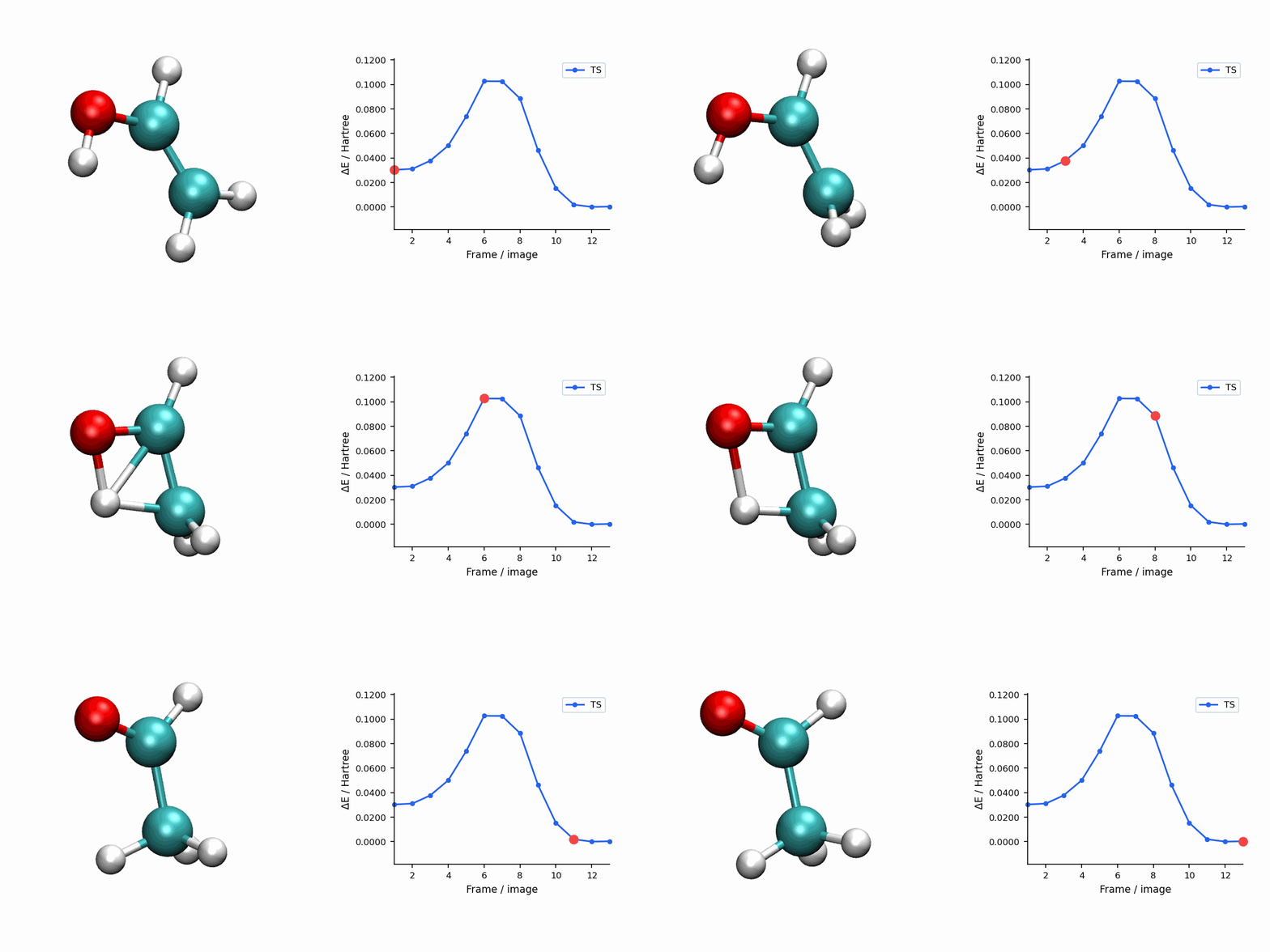
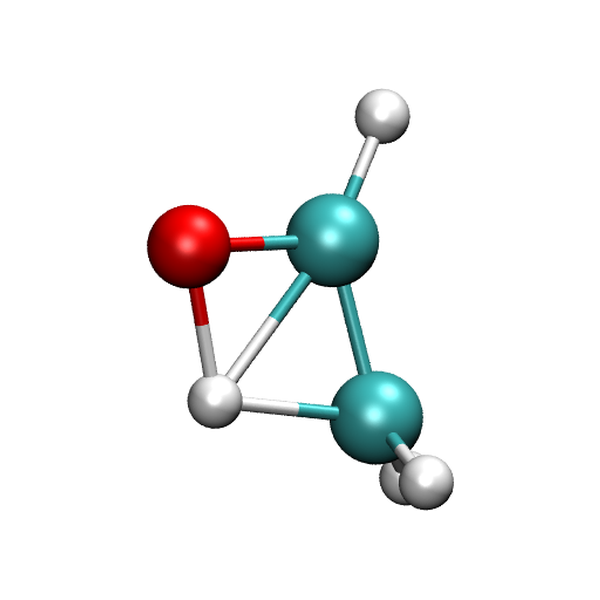
The NEBTS visualization uses the refined *_nebts_mep.xyz path and *_nebts_ts.xyz final TS output from the checked-in example.
Always ensure your reactant and product endpoint geometries are properly optimized before running NEB. Poorly optimized endpoints introduce artificial forces into the band and can prevent convergence or lead to incorrect MEPs. Use initial_opt=true or run separate optimization calculations beforehand.